> ## Documentation Index
> Fetch the complete documentation index at: https://reown-5552f0bb-devin-1759771246-appkit-1-8-9-docs.mintlify.site/llms.txt
> Use this file to discover all available pages before exploring further.

# Web Components

## Trigger the modal

AppKit's [web components](https://www.webcomponents.org/) are custom and reusable HTML tags. They will work across modern browsers, and can be used with any JavaScript library or framework that works with HTML.

<Note>
  Web components are global html elements that don't require importing.
</Note>

### List of optional properties for AppKit web components

### `<appkit-button />`

| Variable       | Description                                                                                            | Type                               |
| -------------- | ------------------------------------------------------------------------------------------------------ | ---------------------------------- |
| `disabled`     | Enable or disable the button.                                                                          | `boolean`                          |
| `balance`      | Show or hide the user's balance.                                                                       | `'show'   \| 'hide'`               |
| `size`         | Default size for the button.                                                                           | `'md'     \| 'sm'`                 |
| `label`        | The text shown in the button.                                                                          | `string`                           |
| `loadingLabel` | The text shown in the button when the modal is open.                                                   | `string`                           |
| `namespace`    | Option to show specific namespace account info. Note: `eip155` is for EVM and `bip122` is for Bitcoin. | `'eip155' \| 'solana' \| 'bip122'` |

### `<appkit-account-button />`

| Variable   | Description                      | Type                 |
| ---------- | -------------------------------- | -------------------- |
| `disabled` | Enable or disable the button.    | `boolean`            |
| `balance`  | Show or hide the user's balance. | `'show'   \| 'hide'` |

### `<appkit-connect-button />`

| Variable       | Description                                          | Type              |
| -------------- | ---------------------------------------------------- | ----------------- |
| `size`         | Default size for the button.                         | `'md'    \| 'sm'` |
| `label`        | The text shown in the button.                        | `string`          |
| `loadingLabel` | The text shown in the button when the modal is open. | `string`          |

### `<appkit-network-button />`

| Variable   | Description                   | Type      |
| ---------- | ----------------------------- | --------- |
| `disabled` | Enable or disable the button. | `boolean` |

## React Components

AppKit provides React-specific components that integrate seamlessly with your React application. These components automatically reflect the AppKit state and provide a more React-native experience.

### `<AppKitButton />` and `<AppKitNetworkButton />`

These React components provide the same functionality as the web components but with better React integration and TypeScript support.

```jsx theme={null}
import { AppKitButton, AppKitNetworkButton } from '@reown/appkit/react'

export function AppKitButtons() {
  return (
    <div>
      {/* Default button */}
      <AppKitButton />
      
      {/* Network selection button */}
      <AppKitNetworkButton />
      
      {/* Button with specific namespace */}
      <AppKitButton namespace="eip155" />
    </div>
  )
}
```

#### Props

Both components accept the following optional props:

| Prop        | Type     | Description                                                     |
| ----------- | -------- | --------------------------------------------------------------- |
| `namespace` | `string` | Specify the blockchain namespace (`eip155`, `solana`, `bip122`) |

### `<appkit-wallet-button  />`

<Frame>
  <img src="https://mintcdn.com/reown-5552f0bb-devin-1759771246-appkit-1-8-9-docs/CtKupk2B0nd1Hxpo/images/assets/walletButtons.jpg?fit=max&auto=format&n=CtKupk2B0nd1Hxpo&q=85&s=a41ed59b9a6e2a90421e4dcff65652ae" width="1416" height="356" data-path="images/assets/walletButtons.jpg" />
</Frame>

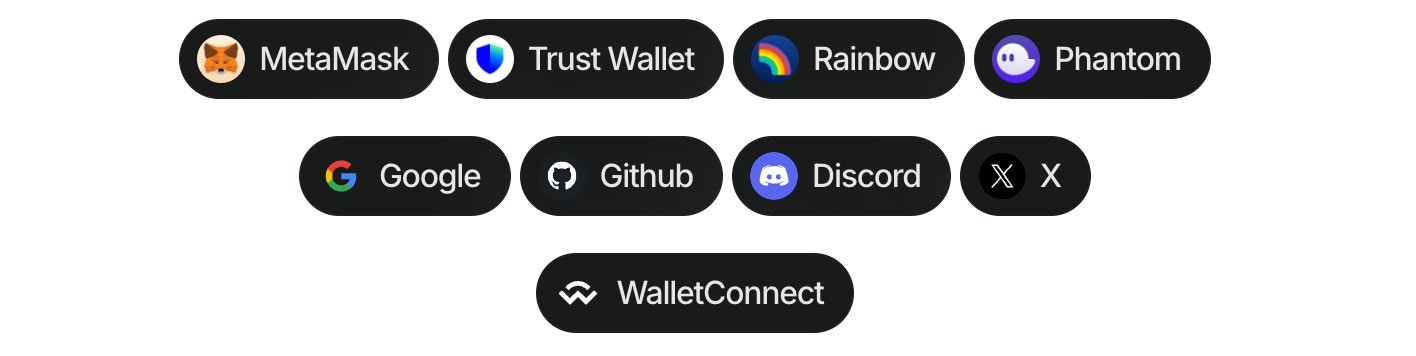
Using the wallet button components ([Demo in our Lab](https://appkit-lab.reown.com/appkit/?name=wagmi)), you can directly connect to the top 20 wallets, WalletConnect QR, and all the social logins.
This component allows to customize dApps, enabling users to connect their wallets effortlessly, all without the need to open the traditional modal.

Follow these steps to use the component:

1. Install the package:

<CodeGroup>
  ```bash npm theme={null}
  npm install @reown/appkit-wallet-button
  ```

  ```bash Yarn theme={null}
  yarn add @reown/appkit-wallet-button
  ```

  ```bash Bun theme={null}
  bun a @reown/appkit-wallet-button
  ```

  ```bash pnpm theme={null}
  pnpm add @reown/appkit-wallet-button
  ```
</CodeGroup>

2. Import the library in the project:

```tsx theme={null}
import "@reown/appkit-wallet-button/react";
```

3. Use the component in the project:

```tsx theme={null}
<appkit-wallet-button wallet="metamask" />
```

#### Multichain Support

You can specify a blockchain namespace to target specific chains:

```tsx theme={null}
<!-- Connect to Ethereum/EVM chains -->
<appkit-wallet-button wallet="metamask" namespace="eip155" />

<!-- Connect to Solana -->
<appkit-wallet-button wallet="phantom" namespace="solana" />

<!-- Connect to Bitcoin -->
<appkit-wallet-button wallet="leather" namespace="bip122" />
```

#### React Hook Integration

You can also use the `useAppKitWallet` hook for programmatic wallet connections with multichain support:

```tsx theme={null}
import { useAppKitWallet } from '@reown/appkit-wallet-button/react'

export function WalletConnector() {
  const { data, error, isPending, isSuccess, isError, connect } = useAppKitWallet({
    namespace: 'eip155', // Use 'solana' or 'bip122' for other chains
    onError: err => {
      console.error('Connection error:', err)
    },
    onSuccess: data => {
      console.log('Connected successfully:', data)
    }
  })

  return (
    <>
      <button onClick={() => connect('walletConnect')}>Open QR modal</button>
      <button onClick={() => connect('metamask')}>Connect to MetaMask</button>
      <button onClick={() => connect('google')}>Connect to Google</button>
    </>
  )
}
```

#### Options for wallet property

| Type          | Options                                                                                                                                                                                                                                                                                                    |
| ------------- | ---------------------------------------------------------------------------------------------------------------------------------------------------------------------------------------------------------------------------------------------------------------------------------------------------------- |
| QR Code       | walletConnect                                                                                                                                                                                                                                                                                              |
| Wallets       | metamask, trust, coinbase, rainbow, coinbase, jupiter, solflare, coin98, magic-eden, backpack, frontier, xverse, okx, bitget, leather, binance, uniswap, safepal, bybit, phantom, ledger, timeless-x, safe, zerion, oneinch, crypto-com, imtoken, kraken, ronin, robinhood, exodus, argent and tokenpocket |
| Social logins | google, github, apple, facebook, x, discord and farcaster                                                                                                                                                                                                                                                  |

#### Options for namespace property

| Value    | Description                        |
| -------- | ---------------------------------- |
| `eip155` | Ethereum and EVM-compatible chains |
| `solana` | Solana blockchain                  |
| `bip122` | Bitcoin blockchain                 |
